

Move for Nurses
Help fund 25 Parkinson's Nurses by moving 25 minutes a day

Date
1 to 31 July

Sign up price
Free

Fundraising target
Raise £135 and you'll fund a Parkinson's nurse for half a day

Double the impact
All donations up to £60,000 will be matched

Take part solo or in a team

Complete in your own time

Fund Parkinson's Nurses
Move for Nurses
1 July to 31 July 2026
25 minutes for 25 nurses
Right now, thousands of people with Parkinson’s lack access to the health and care professionals they urgently need. That's why our Nurse Appeal aims to fund at least 25 Parkinson’s nurses. Just 25 more nurses could give 7,500 more people access to specialist care.
This July you can help make that happen.
Take on our Move for Nurses challenge and commit to moving for at least 25 minutes a day throughout July. From pilates to paddleboarding, walking to weightlifting, take part in any way you like. Every minute moved and every pound raised will help bring expert care to people with Parkinson's.
Double the impact
We’re delighted to share that all funds raised through this challenge, up to £60,000, will be matched by the Frank Brake Charitable Trust.
How it works

1. Sign up for free
Your fundraising page will be automatically created for you. Give it a personal touch and tell people why you're taking part.

2. The challenge begins...
Start your challenge on 1 July and complete 25 minutes of exercise each day. You can keep track of your progress on your fundraising page.

3. Fundraise!
Share your page with your friends and family and post updates. Hit your target of £135 and you will have funded a Parkinson's Nurse for half a day.
Fundraising rewards
Raise £25
You’ll get a Parkinson’s UK T-shirt to wear with pride.
Raise £100
You’ll earn a medal to celebrate your achievements.
Raise £270
Fundraising downloads
If you'd prefer to track your minutes and fundraise for Parkinson's offline, you can do so by downloading and printing a minute tracker and sponsorship form below.
Social media shareables
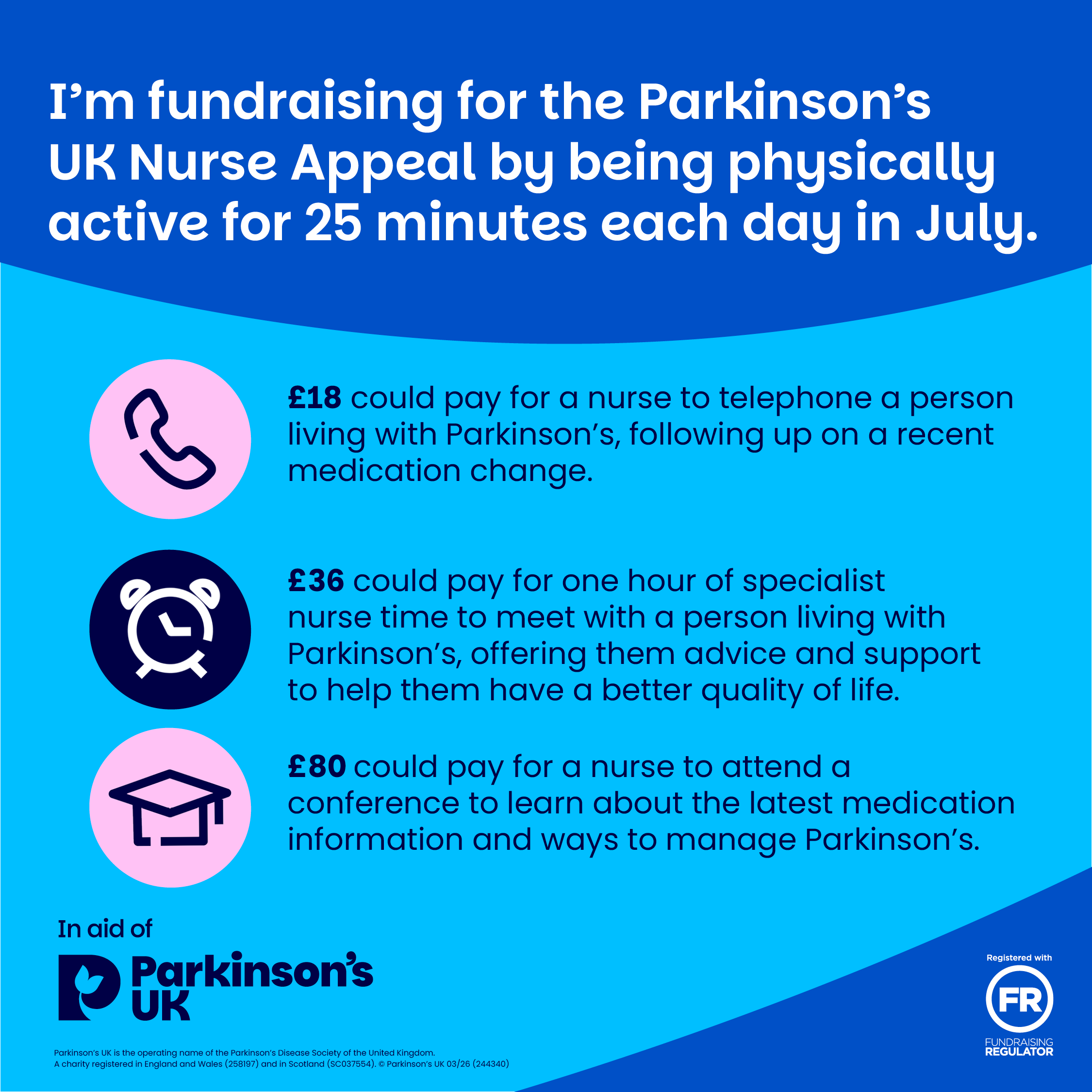
You can use these handy shareable images when sharing your fundraising page URL to your friends and family. Simply click the images below and save to your phone's photo gallery.
FAQs
What is the Move for Nurses challenge?
We're asking people to take on at least 25 minutes of physical activity per day throughout July to fundraise for our Nurse Appeal. You can choose any type of activity and mix it up every day - yoga on one day, weightlifting the next!
Whether you’re taking part alone or with a team, all you need to do is complete 25 minutes of physical activity anywhere, at any time between 1 and 31 July.
Where will my money go?
There’s no cure for Parkinson’s, but with the right care and support, people with Parkinson’s can live well. They can feel understood and seen. And those who love and care for them can be supported too.
Unfortunately, 1 in 5 people living with Parkinson’s lack access to the care they need. And not enough health and care professionals understand the condition. Also, because there’s a lack of specialists, people with Parkinson’s can’t get the help they need when they need it.
Your donations will help:
- Provide initial funding for new Parkinson’s nurses and other specialists people with Parkinson’s urgently need.
- Safeguard vital services through our campaigns and policy work.
- Fund Parkinson’s training and education for health and care professionals, so more people understand the condition and can improve care.
- Future-proof Parkinson’s care by funding clinical fellowships that train doctors to become leaders in Parkinson’s services.
Who can take part?
We encourage people of all ages to take part. You can choose any type of physical activity, so this challenge is perfect for all abilities. If you have any health concerns, please consult your doctor before taking on this challenge.
Is there a fundraising target?
We’re encouraging everyone to raise what they can. £270 is a suggested target, as this will fund a specialist nurse for a day. The money you raise will help fund Parkinson’s nurses and specialist healthcare across the UK.
Can we take part as a team?
This is a great team challenge! Spread the word and get your friends, family, or coworkers involved. You can create a team fundraising page, to combine all your individual fundraising and show your team’s total.
How can I create or join a team?
- Sign up, register your personal details and select the 'next step' button.
- On the 'Your fundraising page' step, complete your page details and then click 'create team' at the bottom of the page.
- Choose a team name and fundraising target.
- Decide whether your team will be private (members can join by invitation only) or public (anyone can join).
Create a team after signing up
- Log in to your account by clicking the symbol in the top right corner of the Move for Nurses homepage.
- Hover over your name in the top right corner and select ‘Dashboard’ from the drop-down menu.
- On your dashboard, click the ‘Create a team’ button in the middle of the page.
- Complete all the details for your team fundraising page.
- Choose a team name and target.
- Decide whether your team will be private (members can join by invitation only) or public (anyone can join).
- Click ‘Create team’ at the bottom of the page.
- Sign up and complete your personal details, then click ‘Next step’.
- On the ‘Your fundraising page’ step, complete your page details and select ‘Join a team’ at the bottom of the page.
- Search for the team in the search bar and select the team you would like to join.
Join a private team through an invitation
- Private teams can be joined by invitation.
- A current team member must log in to their fundraising account on the Move for Nurses homepage by selecting ‘Log in’ in the top right corner.
- They should access the ‘Team dashboard’ from the drop-down menu under the person icon (or their name on a desktop).
- In the dashboard, select the team and copy the invitation link.
- Share this link via email or social media so new members can join the private team.
Join a public team once signed up
- Go to the page of the public team you want to join.
- Under the team name, in the centre of the page, click the ‘Join us’ button.
Do you have any fundraising advice?
Visit the fundraising hub for some handy resources to help support your fundraising.
If you'd like further fundraising advice, please contact our fundraising team at events@parkinsons.org.uk.
How do I use MapMyFitness, Garmin, and Fitbit? How do I connect them to my fundraising page?
Your profile page includes a personal tally, so you can track your minutes of physical activity towards your target. This is a great way to keep your friends updated!
Follow these steps to track your minutes automatically using Fitbit or MapMyFitness apps:
1. Download Fitbit, Garmin Connect or Mapmyfitness app and set up your account.
2. Log in to your Move for Nurses account by going to the Move for Nurses homepage and clicking the log in icon in the top right corner.
3. In your dashboard, navigate to 'My Fitness Activity'.
3. Under the heading ‘Connect your preferred Fitness app’, click your chosen app.
4. Follow the prompts to connect your account.
5. When you do your physical activity, open the app on your phone and select ‘Start your workout’. Once you finish, save your activity. Your minutes will be added to the tally on your fundraising page the following day.
If you've synced your app already but it isn't working, please log in and re-connect it.
- When using Fitbit or Garmin, make sure to start your activity and save it. Your daily minutes will automatically be added to your fundraising page. If you experience any issues, try syncing through both your device and the device’s app on your smartphone.
- When using MapMyFitness, you must start your workout, stop your workout and then save your workout.
Your tally will be updated each day with the previous day’s minutes.
Can I track my minutes without using an app?
Follow these steps:
- Log in to your account. You can log in by clicking the symbol in the top right corner of the Move for Nurses homepage.
- Hover over your name in the top right corner of the page and click on 'My Fitness Activity'.
- Under 'Add Activity', you can edit both the date and the duration of your activity.
- Click ‘save’ and then refresh your page. Your minutes should now appear in your feed.
When is the fundraising deadline?
How do I pay in my offline fundraising?
If you’ve received any cash donations, please deposit them into your bank account. Once your fundraising is complete, you can submit your donations using one of the following options.
Fundraising page
You can donate to your own fundraising page, and the money will be transferred to us automatically.
By post
For security reasons, please don’t send cash through the post. We’re happy to accept your funds by cheque instead.
Please make your cheque payable to Parkinson’s UK and contact us before sending it. We’ll give you a unique reference number to use as your payment reference.
Don’t forget to include your completed sponsorship forms.
We also accept Charity Aid Foundation (CAF) vouchers and postal orders.
By phone
Call our friendly Supporter Care team on 0800 138 6593 and pay using a debit or credit card.
Online banking
You can transfer your offline donations directly to us via bank transfer. Please contact us before sending any money, and we’ll provide the bank details along with a unique reference number to use as your payment reference
Pay in online
Pay your fundraising in online using a debit or credit card or PayPal at parkinsons.org.uk/donate. Please note we’re unable to claim Gift Aid on collections or other group donations if you pay in your money this way.
Will I get a medal at the end?
Will I get a T-shirt and when will I receive it?
Does everybody in the team get their own fundraising reward?
Rewards are based on your individual fundraising totals. Any donations made to your team fundraising page will be divided equally among all team members.
For example, if your team of 4 raises £100 on the team page, each member will be credited with £25, meaning everyone will receive a T-shirt.
Tell me more about the £60,000 matched funding.
The Frank Brake Charitable Trust is our cornerstone donor.
Donations received will be matched pound for pound until we reach our matched target of £60,000. All donations received will be matched pound for pound up to a total of £60,000. Any donations above this amount will still go directly to funding our Nurse Appeal, but they will not be matched.
Contact us
We’re here to support you every step of the way.

Email us


